Aqara FP400: A Presence Sensor That Knows You’re Still in the Room
Every smart home owner has had it happen. You’re sat on the sofa watching TV, perfectly still, and the lights go off because the motion sensor has decided you’ve left. So you wave your arms about like you’re landing a plane.
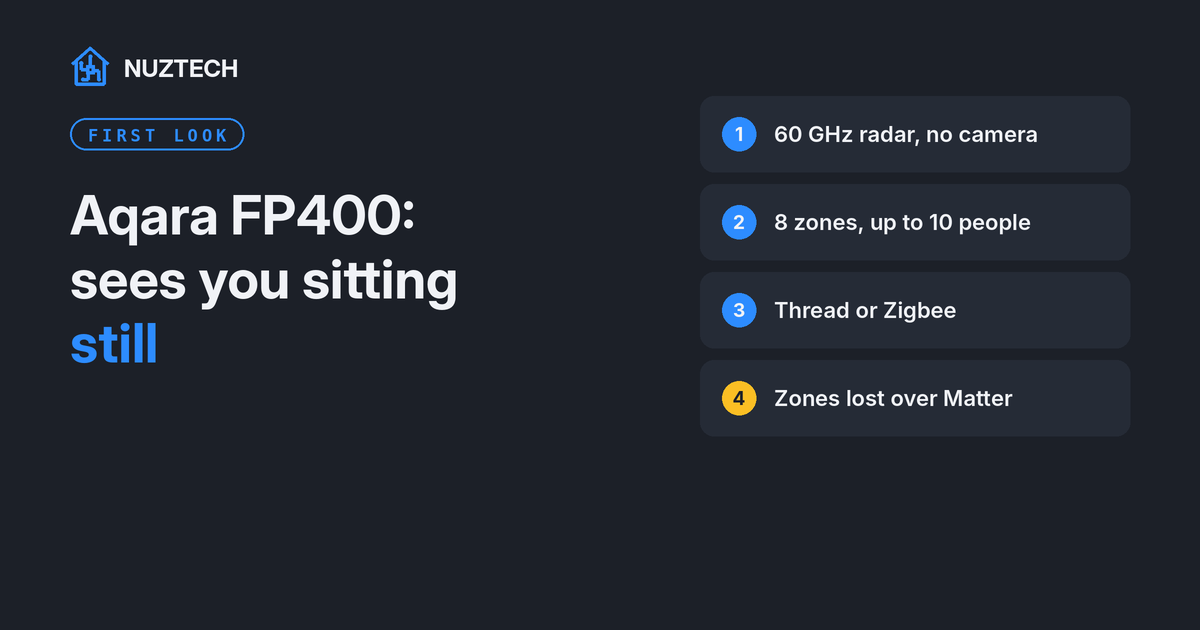
That’s because ordinary motion sensors (PIR) only see movement. Presence sensors use radar and can see someone who’s sitting still, breathing. Aqara’s new Spatial Multi-Sensor FP400, launched worldwide in mid-September 2026, takes that a step further: it splits a room into up to eight zones and tracks up to ten people at once.
A quick word on what this post is: it’s a first look, based on Aqara’s specs and the reviews published so far. I haven’t mounted one.
Key specs
| Aqara Spatial Multi-Sensor FP400 | |
|---|---|
| Category | Presence sensor (60 GHz mmWave radar), with light sensor |
| Ecosystem | Aqara Home; Apple Home, Google Home, Alexa, SmartThings, Homey and Home Assistant through Matter |
| Protocol | Matter over Thread (default) or Zigbee (with an Aqara hub). No Wi-Fi |
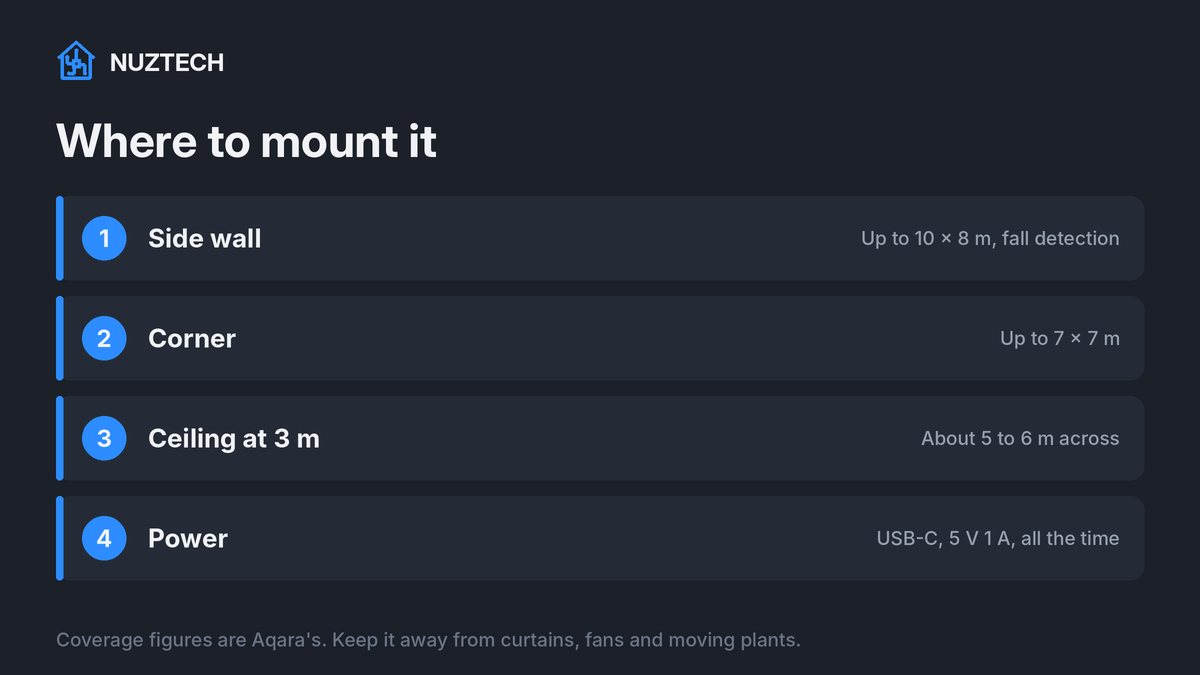
| Power | USB-C, 5 V 1 A, always on. Cable included, plug not included |
| UK price | £79.99 at the Aqara UK shop (seen 19 Oct 2026). A USB-C plug is a £9.98 add-on |
| Subscription | None |
Prices checked 19 October 2026.
What it does well
- It sees people sitting still. That’s the whole point of radar: no more arm-waving.
- Zones. You can draw up to eight zones on a 50 cm grid in the Aqara Home app: the sofa, the dining table, the kitchen worktop. Each one can run its own automation.
- Counts people. It can track up to ten people and give a live headcount.
- Big coverage. Up to 10 × 8 m when mounted on a wall, 7 × 7 m in a corner, and 5 to 6 m across from a 3 m ceiling. That’s enough for most open-plan kitchen-diners.
- Fewer false alarms, Aqara says. It’s meant to ignore pets, moving air and robot vacuums. That’s Aqara’s claim, and the early reviewers are still checking it.
- Built-in light sensor, so lights only come on when it’s actually dark.
- IPX5, so it copes with a steamy bathroom (but see the sparky’s bit on the power supply).
- Fall detection when wall-mounted, which could matter if you’re looking after an older relative.
- No camera, so no pictures of you on the sofa going anywhere.
What to watch
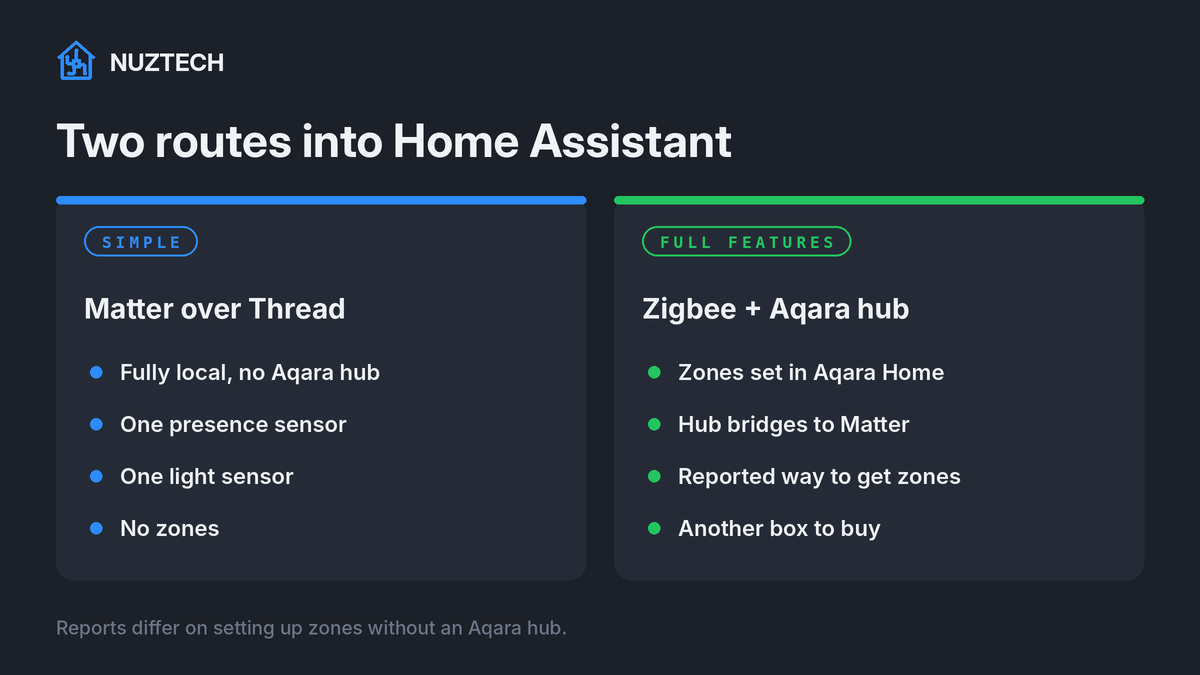
- The Matter catch. Over Matter, the FP400 shows up as one presence sensor and one light sensor. Your zones don’t come across. Aqara itself strongly advises against setting it up straight in another Matter app without going through Aqara Home first.
- Zones and Aqara hubs: reports disagree. Aqara says you can set up zones in its app using any Thread border router. One French hands-on review couldn’t get calibration or zones to work that way, and found the only reliable route was Zigbee through an Aqara Hub M3. Budget for a hub (M3, M200, M100, G410 doorbell or G5 Pro camera) if you want zones.
- It needs power all the time. No battery option, so you’re running a USB lead to it.
- It’s Aqara’s dearest presence sensor. The FP1E and FP300 do simple whole-room presence for a lot less.
- No sleep tracking, and the zone detection’s accuracy in real homes is still unproven.
The sparky’s bit: power and placement
This is the part where you might need a sparky.
The trailing-cable problem. A presence sensor works best high up: a corner near the ceiling, or on the ceiling itself. And it needs 5 V USB power around the clock. Run a USB-C lead down the wall to a socket and it works fine, but it looks a bit rubbish.
The tidy fix is a USB outlet or a fused spur with USB fitted near where the sensor goes, fed from an existing circuit. That’s proper mains work.
⚠️ Safety: adding or extending a circuit, fitting a new outlet or spur, or doing anything in a bathroom is a job for a qualified electrician. Some of this work is notifiable under the Building Regulations (Part P in England and Wales; Scotland has its own building standards rules). And remember: the sensor is IPX5, but the USB plug that powers it isn’t. In a bathroom, the plug and any outlet must stay outside the zones around the bath and shower, and only an electrician should judge where those are.
Placement tips:
- Mount it on a side wall at about head height or above, pointing across the room. That gives the biggest coverage and enables fall detection.
- Keep it away from things that move on their own: curtains in a draught, fans, a radiator with a fan, and big pot plants by a heater.
- One sensor per room. Radar sees through thin partitions, so don’t point it at a stud wall with someone working on the other side.
How it fits with Home Assistant and local control
You’ve got two routes, and the choice matters.
Route 1: Matter over Thread, straight into Home Assistant. Add it with the Matter integration through your Thread border router (a ZBT-2 running Thread firmware, an Apple TV or HomePod, or a Google hub). It’s fully local and simple, but you only get whole-room presence and light level. That’s still enough for “lights on when someone’s in the room and it’s dark, off five minutes after they leave”. Aqara says the absence-delay setting is currently supported in Home Assistant only, which is handy.
Route 2: Zigbee through an Aqara hub, which then bridges to Home Assistant via Matter. This is the reported way to get zones into Home Assistant, at the cost of another box and the Aqara app.
If Thread and border routers are new to you, start with my plain-English explainer.
A presence sensor can save energy, too. Lights left on in empty rooms add up, and the baseline load you’d see on a CT clamp is often full of things nobody switched off.
Alternatives worth considering
- Aqara Presence Sensor FP2: the older Wi-Fi model, with zones in its own app. Covers a smaller area (about 40 m²).
- Aqara FP1E or FP300: cheaper, whole-room presence over Zigbee or Thread. Fine if you don’t need zones.
- Cheaper radar sensors from Third Reality, SwitchBot and Meross: good for “is someone in this room?” and little else.
- A plain PIR motion sensor: for hallways, landings and toilets, where people don’t sit still, a cheap motion sensor still does the job.
Who it suits, and who should skip it
It suits you if:
- You’ve got an open-plan room and want different automations for different areas: sofa, dining table, kitchen.
- You’ve already got an Aqara hub, or you’re happy to buy one.
- You’re looking after someone older and like the idea of fall detection.
Skip it if:
- You only want “someone’s in the room”. A cheaper sensor does that.
- You want everything in Home Assistant without the Aqara app or an Aqara hub. Over Matter you lose the zones that make this one special.
- You can’t get power to a good mounting spot.
The FP400 looks like a clever sensor tied to a clunky route for its best feature. If you’re already in Aqara’s world, it’s a strong pick. If you’re not, the zones come at the price of another hub.
This is a first look based on manufacturer details and published reviews, not hands-on testing.
Sources
- Aqara UK shop, Spatial Multi-Sensor FP400 (price, box contents, specs, zone note)
- Aqara, FP400 product page (power, mounting, hub list, Matter advice, Home Assistant absence setting)
- Matter Alpha, “Aqara takes FP400 global with Matter, Thread and 10-person tracking” (16 Sep 2026; Matter limits, routes)
- housecontrollers.de, FP400 launch report (17 Sep 2026; coverage figures, magnetic base, direct-Matter note, cheaper Aqara sensors)
- smarthomeassistent.de, “Neuer Aqara Spatial Multi-Sensor FP400 jetzt erhältlich” (pet and robot vacuum filtering, hub-free setup)
- domo-blog.fr, FP400 hands-on review (zones only worked via Zigbee and Hub M3)
- Smart Home Compared, FP400 spec sheet (fall detection, no sleep monitoring, cheaper alternatives)
- Smart Home Compared, FP2 vs FP400 (FP2 detection area)