Aye Right, Another Smart Device: Meet the Home Assistant Connect ZBT-2 (And Why My Flat’s Officially Smarter Than Me)
Right, gather round. You know how it is. You start off simple: “Ooh, I’ll just get a wee smart plug so I can turn the lamp off without getting out from under the duvet.” Six months later your flat has more network traffic than a BT exchange, and you’re treating Zigbee mesh topology with the grave seriousness of a structural engineer inspecting the Forth Bridge.
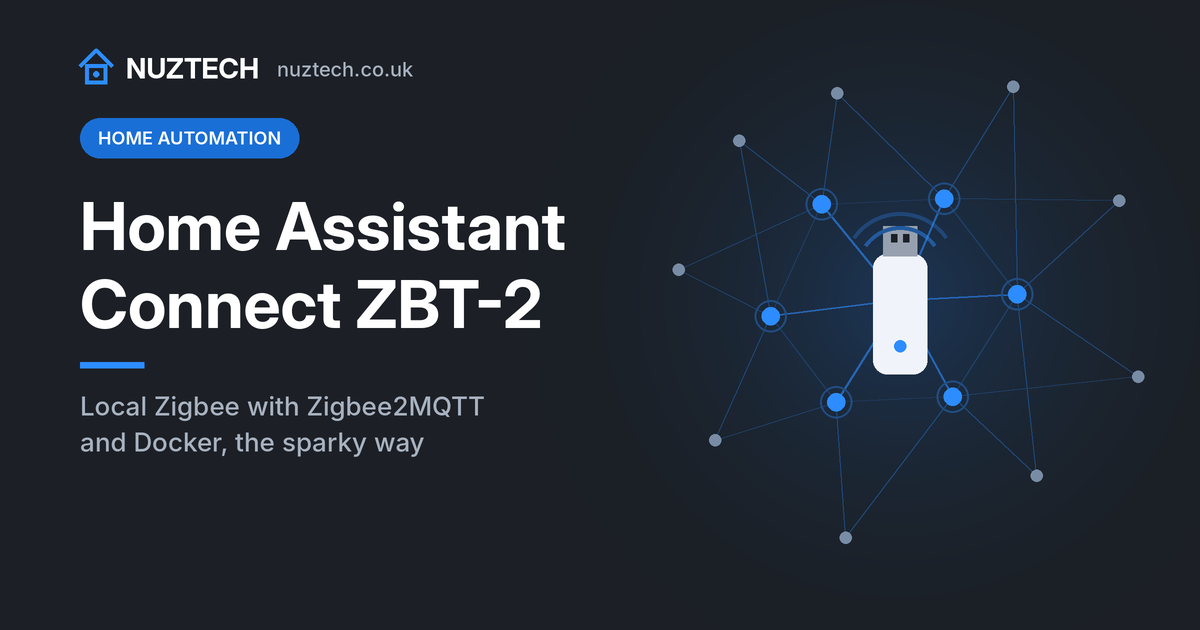
Which brings me to the latest bit of plastic and copper to join the setup: the Home Assistant Connect ZBT-2. It’s the successor to the old SkyConnect, the wee stick half the pub still calls it by name.
If you’d told my grandad I’d be paying actual money for a USB stick so my living room light knows when I’ve sat down for the football, he’d have thought I’d lost the plot. “Just use the switch on the wall, ye glaikit turnip.” And fair play, he’d have had a point. But grandad never walked into a dark kitchen with two armfuls of shopping and had the under-cabinet LEDs kick on like the Blackpool Illuminations. Pure magic.
What is the ZBT-2, anyway?
In plain English: it’s a USB stick you plug into whatever runs Home Assistant (a mini PC, a Pi, or a Proxmox box if you’re fancy). It lets your setup talk to Zigbee devices directly, without six different brand hubs clogging up every socket in the hall.
No more Hue Bridge, no more random third-party gateways buzzing away in the corner like angry wasps. One wee stick to rule them all.
A quick bit of history so you don’t buy the wrong thing. The original SkyConnect was renamed Connect ZBT-1 in 2024, and production ended in November 2025 when the ZBT-2 replaced it. If you’ve already got a SkyConnect, it still works and still gets updates. If you’re buying new, get the ZBT-2: it has a proper antenna, a newer chip and a connection to the host four times faster. Expect to pay around £40. Prices checked on 3 November 2026.
One thing the box won’t shout about: it does Zigbee or Thread, not both at once. More on that below.
The Docker Compose setup
If you run Home Assistant in Docker rather than Home Assistant OS, here’s the full stack: Home Assistant, a Mosquitto MQTT broker, and Zigbee2MQTT. The important bit is that the stick goes to Zigbee2MQTT only. Only one program can talk to a Zigbee coordinator at a time, so Home Assistant doesn’t get it.
First, find your stick’s permanent name, so it doesn’t jump between ports after a reboot:
ls -l /dev/serial/by-id/Copy the line containing ZBT-2 and paste it into the devices: line below in place of the placeholder.
# docker-compose.yml
services:
  homeassistant:
    container_name: homeassistant
    image: ghcr.io/home-assistant/home-assistant:stable
    volumes:
      - /opt/homeassistant/config:/config
      - /etc/localtime:/etc/localtime:ro
      - /run/dbus:/run/dbus:ro
    restart: unless-stopped
    privileged: true
    network_mode: host

  mosquitto:
    container_name: mosquitto
    image: eclipse-mosquitto:2
    volumes:
      - /opt/mosquitto/data:/mosquitto/data
    restart: unless-stopped
    network_mode: host   # listens on 127.0.0.1:1883 only

  zigbee2mqtt:
    container_name: zigbee2mqtt
    image: ghcr.io/koenkk/zigbee2mqtt
    volumes:
      - /opt/zigbee2mqtt/data:/app/data
      - /run/udev:/run/udev:ro
    environment:
      - TZ=Europe/London
    devices:
      # Replace with your own path from ls /dev/serial/by-id/
      - /dev/serial/by-id/usb-Nabu_Casa_ZBT-2_XXXXXXXXXXXX-if00:/dev/ttyACM0
    restart: unless-stopped
    network_mode: host
    depends_on:
      - mosquitto
Everything runs on host networking, so the three containers talk over 127.0.0.1 and Mosquitto never faces your network. If you later open MQTT to other machines, set up a username and password first.
Home Assistant may pop up a notification offering to set the stick up with ZHA, its built-in Zigbee integration. Ignore it: you’re using Zigbee2MQTT instead, and two programs fighting over one stick ends in tears.
The Zigbee2MQTT configuration
This is for Zigbee2MQTT 2.x, which changed several settings from older guides. The ZBT-2 needs the ember driver, a baud rate of 460800 and flow control switched on, or it won’t start.
# /opt/zigbee2mqtt/data/configuration.yaml
homeassistant:
  enabled: true
mqtt:
  base_topic: zigbee2mqtt
  server: mqtt://127.0.0.1:1883
serial:
  port: /dev/ttyACM0
  adapter: ember
  baudrate: 460800
  rtscts: true
frontend:
  enabled: true
  port: 8080
advanced:
  channel: 25   # pick before pairing anything; changing later means re-pairing
  network_key: GENERATE
  pan_id: GENERATE
  ext_pan_id: GENERATE
  log_level: info
A few notes for anyone copying an older guide:
- The port is
/dev/ttyACM0, the name the Compose file gives the stick inside the container. permit_joinis gone from the config file. You open pairing from the Zigbee2MQTT web page instead, and it closes itself after about four minutes.GENERATEcreates a unique encryption key for your network on first start, rather than using the well-known default.- The stick must be running Zigbee firmware, not Thread. If it isn’t, flash it with the Open Home Foundation’s web flasher at toolbox.openhomefoundation.org.
Once it’s running, open http://<your-server-ip>:8080 for the Zigbee2MQTT web page.
The setup experience: a drama in three acts
Act I: Optimism. Plug the stick into a USB extension cable, and into a USB 2 port if you’ve got one. It must go on an extension, mind, or USB 3 interference will strangle your Zigbee signal faster than a pigeon grabbing a dropped chip on Argyle Street.
Act II: The pairing dance. Hit Permit Join in Zigbee2MQTT, then run round the flat like a madman, holding an Aqara motion sensor three inches from the stick while jabbing a paperclip into a microscopic reset hole. You do this seven times. You question your life choices. You swear softly in dialect.
Act III: Enlightenment. “Successfully interviewed, device: Aqara RTCGQ11LM.”
BRAW. Absolutely quality.
Why bother?
Because local control is king. When the internet goes down in Glasgow (roughly every time the clouds look at us funny), your Zigbee network doesn’t care. The automations fire, the motion sensors trigger, and the kettle status updates whether or not the outside world is functioning.
Thirty years of pulling cable has also taught me this: the wall switch should always still work. Zigbee smart switches and relays behind the faceplate keep it that way, so guests and grandads aren’t left in the dark.
As for Thread and Matter: the ZBT-2 can act as a Thread radio for Matter-over-Thread devices, but only if you flash it with Thread firmware instead of Zigbee. Running both on one stick was tried on the old SkyConnect and proved unreliable, so it isn’t supported. Want Zigbee and Thread? Buy two sticks. Future-proofed until at least next Tuesday, when a new standard gets invented to ruin our lives.
The verdict
Is it essential? If you’re tired of a cloud-dependent smart home that dies the second your ISP has a hiccup: aye, 100%. It’s affordable, tiny, works natively with Home Assistant, and saves you from downloading another dodgy app that wants access to your contacts just to dim a lightbulb.
Now, if you’ll excuse me, I need to spend four hours writing a YAML automation so my hallway light doesn’t go full-beam blinding white when I get up for a midnight glass of water. Pure dead brilliant.
Written by Nuztech: a qualified UK electrician with 30 years in the trade. We look at smart kit the way an electrician does: wiring, neutral wires, back boxes, safety and whether it still works if the app dies.



3 Comments
Comments are closed.